Home / Board & Card / Flip Discs
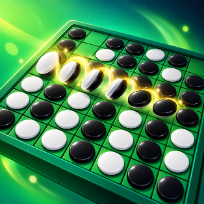

Flip DiscsBoard & Card · Two Player

How to play Flip Discs
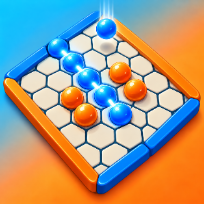
Flip Discs is a classic flip-and-capture board game on an eight by eight board. On your turn you place a disc so that it traps one or more straight lines of enemy discs between your new disc and another of yours: every trapped disc flips to your colour. If you cannot trap anything you must pass, and when neither player can move the player with more discs wins.
Play against a bot at Easy, Medium or Hard strength (you choose to move first as dark or second as light), or pass and play with a friend on the same screen. Legal squares glow, flips animate in a ripple, and you get a few free undos and hints each game, with more available for an optional short video.
The game counts your wins per strength and your best win streak. Settings and records are saved on your device, so you can close the tab and come back later. It runs in the browser with no download and no account.
Controls
Click a glowing square to place a disc. Arrow keys and Enter also work. U undoes, H shows a hint, P pauses.
Tap a glowing square to place a disc. Use the Undo and Hint buttons under the board.
FAQ
What do I do on my turn?
Place a disc on a glowing square. It must trap at least one straight line of enemy discs between the new disc and another of your discs; all trapped discs flip to your colour.
What if I cannot move?
You pass automatically and the other player moves again. When neither player can move, the player with more discs wins.
How strong is the bot?
Easy plays loosely, Medium plays sensible positional moves, and Hard looks several moves ahead and plays the endgame exactly. The bot does not cheat and plays the same way for the same game.
Can I take a move back?
Yes: three free undos per game against the bot (unlimited in two-player games), and more for an optional short video. A hint shows a strong move for you.
Is Flip Discs free?
Yes. It is free to play in your browser, with no download and no account.
Can I play on my phone?
Yes. It runs on phones, tablets and computers. Tap a glowing square to place a disc. Use the Undo and Hint buttons under the board.