Home / Board & Card / Fleet Hunt
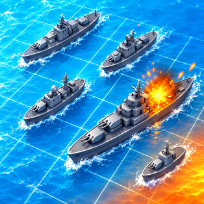

Fleet HuntBoard & Card · Two Player
How to play Fleet Hunt
Place five ships on a ten by ten sea by dragging them, or shuffle for a quick start. Then take turns firing at squares of the enemy's sea: a splash means a miss, a fire means a hit, and a ship is announced when its last square is hit. The first fleet to be sunk loses.
Play a bot in three strengths: Easy fires almost at random, Normal finishes a ship after a hit, and Hard counts every way the ships could still be hiding. Or play a friend on one screen, with a pass screen between turns so nobody sees the other's fleet. In bot battles you can watch an optional video to scout one square under an enemy ship.
Your wins, losses, fewest shots and sound setting are saved on your device. The game runs in the browser with no download and no account.
Controls
Click a square to fire, or use arrow keys and Enter. Drag ships to place them; click a placed ship or press R to turn it.
Tap a square to fire. Drag ships to place them; tap a placed ship to turn it.
FAQ
Can I play against the computer?
Yes. Pick Easy, Normal or Hard bot. The bot only knows your shots and which ships are still afloat, like a human would.
Can two people play on one device?
Yes. Choose two players: each places a fleet while the other looks away, and a pass screen hides the sea before every turn.
Do I get another shot after a hit?
No. Shots alternate one by one, so every turn counts.
What does the scout video do?
In bot battles, an optional video marks one square under an unhit enemy ship. It does not fire a shot, and you can play without it.
Is Fleet Hunt free?
Yes. It is free to play in your browser, with no download and no account.
Can I play on my phone?
Yes. It runs on phones, tablets and computers. Tap a square to fire. Drag ships to place them; tap a placed ship to turn it.