


How to play Word Deck
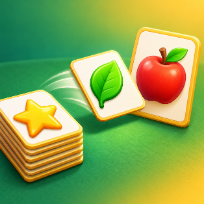
Word Deck is a card puzzle about sorting words. Stacks are dealt with only the top card face up. Some cards are category cards such as Fruit, Sea or Music (marked with a crown), the rest are word cards such as banana, whale or guitar.
Drag a category card into an empty place in the middle row, then drag every word that belongs to it onto that card. When a category is complete it leaves the board and its place is free again. Places are limited, so choose which categories to open first. Words of the same category can be stacked on each other, any card can go onto an empty stack, and a category card takes its own words with it for free. Tap the deck to draw a card to the discount pile; when the deck is empty, turn the pile back as often as you like.
Every level has a move limit. Use three free hints and undos per level, or watch a short optional video for another charge. After running out of moves you can watch a video for extra moves, and when nothing can be played any more a joker card can get you moving again. Progress is saved on your device.
Controls
Drag a card to a category place, a category card or a stack. Click the deck to draw. U undo, H hint, Esc pause, M sound.
Drag a card to where it belongs, or tap it to send it to its best place. Tap the deck to draw.
FAQ
How do I sort the words?
Drag a category card (the one with the crown) into an empty place in the middle row. Then drag each word card of that category onto it.
What counts as a move?
Every successful drag and every deck draw costs one move. Dragging a category card together with its words below it is free, and so is turning the discount pile back to the deck.
What do hint and undo do?
Hint highlights a good next move and undo takes back a draw or a move to an empty stack. Each has three free uses per level, then a short optional video gives one more.
Is my progress saved?
Yes. Your current level is stored on your device.
Is Word Deck free?
Yes. It is free to play in your browser, with no download and no account.
Can I play on my phone?
Yes. It runs on phones, tablets and computers. Drag a card to where it belongs, or tap it to send it to its best place. Tap the deck to draw.