






How to play Word Dash
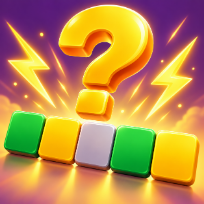
Word Dash is a word guessing puzzle. Each level hides a word of a set length. Type a real word and every letter is marked: green when it is in the right place, yellow when it is in the word but somewhere else, grey when it is not in the word at all. Use the clues to find the hidden word before you run out of tries.
Levels start with short three-letter words and climb to six letters, and later levels give you one try less. Solve words quickly to score more, and build a win streak for a bigger multiplier. Stuck? Watch an optional video to reveal one correct letter, or to keep your streak after a miss with one extra try.
Come back every day for the daily word and grow your day streak. Choose a colour theme, play with a keyboard or with touch, and your level, score and best result are saved on your device.
Controls
Type letters on the keyboard, Backspace to delete, Enter to submit. Click the on-screen keys too.
Tap the on-screen keys, the arrow key deletes, Enter submits your guess.
FAQ
How do the colours work?
Green means the letter is in the right place, yellow means it is in the word but elsewhere, grey means it is not in the word.
How many tries do I get?
Between four and six depending on the word length. Very late levels give one try less for longer words.
What does the Reveal button do?
After an optional video it shows one correct letter in its place for the rest of the level.
Is there a daily word?
Yes. Every day brings one new five-letter word. Solve it on consecutive days to build a day streak.
Is Word Dash free?
Yes. It is free to play in your browser, with no download and no account.
Can I play on my phone?
Yes. It runs on phones, tablets and computers. Tap the on-screen keys, the arrow key deletes, Enter submits your guess.