Home / Puzzle / Picture Pieces





How to play Picture Pieces
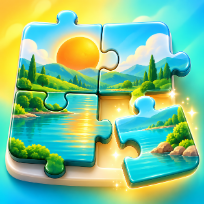
Picture Pieces is a relaxing jigsaw puzzle with eight hand-drawn pictures: a meadow at sunrise, a mountain lake, a seaside sunset, a cabin in the snow, a sleepy kitten, a happy puppy, a coral reef and a valley full of hot air balloons. Every picture is cut into real curved pieces with tabs and blanks, and every cut is different.
Choose 12, 24, 48 or 80 pieces. The loose pieces lie around the frame: drag one with your mouse or finger and drop it near its place, and it snaps to the frame. Pieces that belong together also snap to each other and move as one group, so you can build islands anywhere on the table. Switch on the faint picture behind the frame, show only the edge pieces to build the border first, or peek at the whole picture for a few seconds.
Want more of a challenge? Turn on piece rotation: the pieces start turned and you tap them to turn them upright. Every finished puzzle gives one to three stars based on your time, and your best times are saved on your device. The timer pauses when you pause the game, and an unfinished puzzle can be continued later.
Controls
Drag a piece and drop it near its place. R or right click turns a piece (with turning on). P pause, H faint picture, E edge pieces only, V peek, M sound.
Drag pieces with your finger. Tap a piece to turn it when turning is on. Use the buttons at the top for peek, faint picture, edge pieces, sound and pause.
FAQ
How do I place a piece?
Drag it with the mouse or your finger and drop it close to where it belongs. Pieces snap to the frame, and to a neighbour piece that is already placed or grouped.
What does the eye button do?
It shows the complete picture for a few seconds. You get two free peeks per puzzle, then you can watch a short video for three more.
How do I build the border first?
Press the frame button (or E) to show only the edge pieces. Press it again to show all pieces.
How does turning work?
Tick Turn pieces before you start. Loose pieces then start turned: tap a piece (or press R) to turn it by a quarter. Only upright pieces snap into place.
Is Picture Pieces free?
Yes. It is free to play in your browser, with no download and no account.
Can I play on my phone?
Yes. It runs on phones, tablets and computers. Drag pieces with your finger. Tap a piece to turn it when turning is on. Use the buttons at the top for peek, faint picture, edge pieces, sound and pause.