







How to play Parking Jam
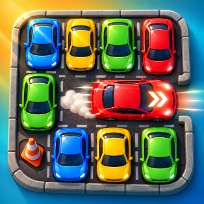
Parking Jam is a top-down traffic puzzle. Every car sits in one lane and drives straight out through the edge it faces, but only when nothing stands in its way. Tap a free car and it zooms off the lot; tap a blocked car and it only honks, and that wasted tap still costs you a move.
Each level has a move limit, so you must work out which cars block which. Early lots are small and forgiving. Later ones grow to eight by eight with long vans, more cars and traffic cones that never move, while the number of spare moves shrinks. Clear a lot without a single wasted tap for three stars.
Stuck? Watch a short video to remove one blocking car, or to get extra moves after running out. Your progress, stars and best score are saved on your device.
Controls
Click a car to drive it out. Arrow keys / WASD move the cursor, Enter or Space drives the car under it, R restarts the level, M sound, P or Esc pause.
Tap a car to drive it out through the edge it faces. Use the buttons for restart, pause and sound.
FAQ
Why does my car not move?
Something is in its way: another car or a traffic cone, anywhere between its nose and the edge it faces. It honks and the tap still costs a move. Clear the blocker first.
How do I get three stars?
Clear the lot without a single wasted tap: every tap must send a car out. Taps on blocked cars lower the rating.
What happens when I run out of moves?
The level is lost, but you can retry it at once, or watch an optional video to get four extra moves.
What does the video power do?
Once per level you can watch a video to remove any one car, even a blocked one, for free.
Is Parking Jam free?
Yes. It is free to play in your browser, with no download and no account.
Can I play on my phone?
Yes. It runs on phones, tablets and computers. Tap a car to drive it out through the edge it faces. Use the buttons for restart, pause and sound.