





How to play Order Up
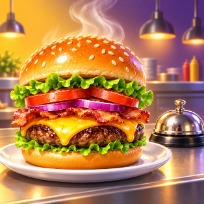
Order Up is a fast kitchen game. Guests take a seat and show what they want: a dish made from two to four ingredients. Tap food on the shelf to put it on the plate, or start it on the grill and grab it the moment it is ready, before it burns.
When the plate matches a guest's order, tap the guest (or the plate) to serve and earn coins and tips. Slow service makes guests leave, and three lost guests end the shift.
Work through four restaurants with their own menus, survive the rush hour every fifth level, and spend your coins on a hotter grill, cozier seats and extra pans. A short optional video gives a bonus coin spin or a second chance.
Controls
Click food, grill slots, the plate and guests. Keys: 1-6 food, Q W E R grill, A S D F guests, Space serve, Backspace clear, P pause, M mute.
Tap food to cook or plate it, tap the plate or a guest to serve.
FAQ
How do I serve a guest?
Build the exact dish shown above the guest on the plate, then tap the guest or the plate.
What does the grill do?
Items marked with a flame must be cooked first. Tap them when the slot turns green, and do not wait too long or they burn.
What makes me lose?
If three guests leave without being served the shift is over. You can retry or upgrade your kitchen first.
What do the video buttons do?
After a short optional video you get a bonus coin spin after a win, or two extra hearts after a loss.
Is Order Up free?
Yes. It is free to play in your browser, with no download and no account.
Can I play on my phone?
Yes. It runs on phones, tablets and computers. Tap food to cook or plate it, tap the plate or a guest to serve.