
Loop LinkPuzzle · Brain
How to play Loop Link
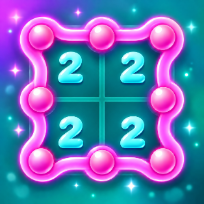
Loop Link is a pencil-and-logic puzzle. A grid of dots has numbers in some squares. Connect neighbouring dots to make one single closed loop with no branches, crossings or loose ends, so that each number matches how many of its four sides the loop uses.
Thirty levels grow from 5 by 5 to 10 by 10, then endless boards follow. Every puzzle is built by a generator and proven by a solver to have exactly one answer; early levels need only simple deductions. Numbers turn green when satisfied and red when they cannot be. Undo, a checker for wrong marks and hints (the first hint of each level is free) are on hand, and stars rate how much help you used.
Progress, the half-finished board, best times and settings are saved on your device, so you can close the tab and come back later. The game runs in the browser with no download and no account.
Controls
Click a gap between two dots to draw a line, click again to remove it, drag to draw several. Right-click or Shift-click marks a gap as unused. Z undo, X switch Line/Cross mode, H hint, C check.
Tap a gap between two dots to draw, drag to draw several, long-press to mark a gap as unused (or switch to Cross mode). Buttons for undo, hint, check and clear.
FAQ
Is there always only one answer?
Yes. Every board is checked by a solver that proves exactly one loop fits all the numbers, so you never need to guess.
What does a red number mean?
Too many of its sides are already lines, or too few can still be drawn. Fix the lines around it.
How do hints work?
A hint removes a wrong mark if there is one, otherwise it adds a correct line. The first hint of each level is free, more need a short video. Stars go down the more hints and checks you use.
Does the game save my progress?
Yes: solved levels, stars, best times and your unfinished board are saved on your device.
Is Loop Link free?
Yes. It is free to play in your browser, with no download and no account.
Can I play on my phone?
Yes. It runs on phones, tablets and computers. Tap a gap between two dots to draw, drag to draw several, long-press to mark a gap as unused (or switch to Cross mode). Buttons for undo, hint, check and clear.