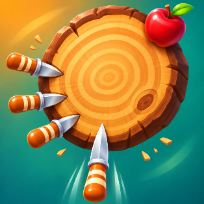

Knife TossArcade · Casual


How to play Knife Toss
Knife Toss is a one-tap arcade game of timing. A log turns in front of you and you have a row of knives to throw. Tap at the right moment so each knife sticks in a free spot of the log: if it touches a knife that is already in, the throw misses and the run is over.
Every stage is a little harder. The log turns faster, swings back, speeds up and slows down, and starts with more knives already stuck in it. Apples grow on the edge of the log: slice one for a coin and bonus points. Every fifth stage is a boss stage with a different target, a trickier spin and a big coin prize, and it saves a checkpoint so you never start from stage 1 again.
Spend your coins on six knife colours, from the plain garden knife to the golden one. If you miss, watch an optional video to continue the same stage, or just try again from your checkpoint. Your best score, stage and knives are saved on your device.
Controls
Click, press Space or Enter to throw a knife. P or Esc: pause. M: sound on or off.
Tap anywhere on the screen to throw a knife. The pause button is at the top right.
FAQ
How do I lose a stage?
A knife that lands too close to a knife already in the log bounces off and the run ends. Watch the turning log and throw when a free gap reaches the bottom.
What are apples for?
Slicing an apple gives a coin and 40 bonus points. Coins buy new knife colours.
What is a checkpoint?
Beating a boss stage (every fifth stage) saves your place, so PLAY and TRY AGAIN start from the stage after it.
Can I continue after a miss?
Once per run you can watch an optional video to continue the same stage. You can always try again from your checkpoint instead.
Is Knife Toss free?
Yes. It is free to play in your browser, with no download and no account.
Can I play on my phone?
Yes. It runs on phones, tablets and computers. Tap anywhere on the screen to throw a knife. The pause button is at the top right.