
Kakuro SumPuzzle · Brain






How to play Kakuro Sum
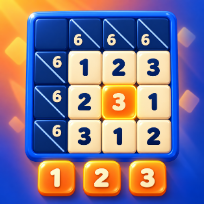
Kakuro Sum is a number crossword. Dark cells carry sums: the small number at the top right is the total for the run of white cells to its right, the one at the bottom left for the run below. Write the digits 1 to 9 so every run adds up to its clue, and never use the same digit twice in one run.
Every puzzle has exactly one solution and can be solved by reasoning alone. Thirty levels grow from 5 by 5 to 11 by 11, a daily puzzle changes every day, and free play lets you pick a grid size. A line under the board lists the digit sets that still fit the runs of the selected cell.
Use pencil marks for notes, undo any move, check your digits, or take a hint (the first one in each puzzle is free, more come from an optional video). Finish without help for three stars. Progress, best times and the puzzle in progress are saved on your device, so you can close the tab and come back later. The game runs in the browser with no download and no account.
Controls
Click a white cell, then press 1 to 9 or use the pad. Arrows move, 0 or Delete erases, P pencil, Z undo, C check, H hint.
Tap a white cell, then a number on the pad. The Pencil, Undo, Erase, Check and Hint buttons sit above the pad.
FAQ
How do the clues work?
A dark cell shows up to two sums. The number at the top right is the total of the run of white cells to its right, the number at the bottom left is the total of the run below it.
Can a digit repeat?
Not inside one run. The same digit can appear again in another run, including a run that crosses the first one.
Does every puzzle have exactly one solution?
Yes. Each puzzle in the game was checked by a solver and has a single solution, so you never have to guess.
Is my progress saved?
Yes. Level stars, best times, the daily results and the puzzle you are working on are saved on your device. There is no account.
Is Kakuro Sum free?
Yes. It is free to play in your browser, with no download and no account.
Can I play on my phone?
Yes. It runs on phones, tablets and computers. Tap a white cell, then a number on the pad. The Pencil, Undo, Erase, Check and Hint buttons sit above the pad.