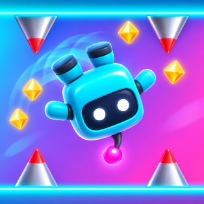

Gravity FlipArcade · Action


How to play Gravity Flip
Gravity Flip is a one-button arcade runner. Your little robot runs along a corridor by itself, and every tap, click or key press flips gravity so it drops to the opposite surface, floor to ceiling and back. Time your flips to slip past spikes, walls, floating blocks, bottomless pits, spinning saws and crushing pistons, and never flip into something on the way across.
The course is endless and different every run. It starts with a few friendly lessons, then speeds up zone by zone, with a new colour theme every 250 metres and new hazards joining in as you go. Gems line the floor and ceiling and hang in the air between them, so flipping at the right moment pays. Grab a shield orb to survive one hit or a slow-time orb to ease the pace for a few seconds.
Your score is the distance you cover plus five points per gem. Spend gems in the Robots menu on eight different robots, and watch an optional video to continue a crashed run once or double the gems of a run. Your best score and gems are saved on your device.
Controls
Click, Space, W, S or an arrow key: flip gravity. P or Esc: pause. M: sound on or off. Enter or Space start a run from the menu.
Tap anywhere on the screen to flip gravity. The pause and sound buttons are at the top right.
FAQ
How do I control the runner?
You only flip gravity: tap, click or press Space, W, S or an arrow key. The runner always keeps moving forward by itself.
What ends a run?
Touching a spike, a wall, a floating block, a saw or an extended piston, or falling into a pit. A shield orb saves you from one hit.
What are gems for?
Each gem is worth 5 points and they are your money: spend them in the Robots menu to unlock new robots. Robots only change the look, not the difficulty.
Is there an ending?
No. The course is endless and gets faster and trickier every zone (every 250 m), so the aim is a new best distance.
Is Gravity Flip free?
Yes. It is free to play in your browser, with no download and no account.
Can I play on my phone?
Yes. It runs on phones, tablets and computers. Tap anywhere on the screen to flip gravity. The pause and sound buttons are at the top right.