Home / Blocks / Tetromino Fall
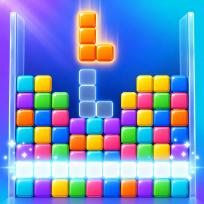

Tetromino FallBlocks · Puzzle


How to play Tetromino Fall
Tetromino Fall is a falling-block puzzle with seven kinds of four-square pieces and a tall 10 by 20 well. Slide and turn each piece, drop it where it fits and complete full rows to clear them. Let the stack reach the top and the run is over.
A ghost outline shows where the piece will land, three next pieces are shown, and you can hold one piece for later. Soft drop and hard drop earn points, clearing several rows at once and chaining clears builds a combo bonus, and every ten lines the level goes up and the pieces fall faster.
Play Endless to chase a high score, or the 40-line sprint to clear forty rows as fast as you can. Once per endless run you can watch an optional video to clear the top eight rows and keep playing. Your best score and best sprint time are saved on your device, so you can close the tab and come back later. The game runs in the browser with no download and no account.
Controls
Left / Right (A / D) move, Up / W / X turn, Z turn back, Down / S soft drop, Space hard drop, C or Shift hold, P or Esc pause.
Drag left or right to move, tap to turn, drag down for soft drop, flick down to drop at once, tap the hold box or the HOLD button to hold.
FAQ
How do I clear rows?
Fill every cell of a row with pieces and it disappears. Clear several rows with one piece for a bigger score.
What does hold do?
Press C or tap the hold box to store the falling piece and swap it with the stored one. You can hold once per piece.
What is the 40-line sprint?
A timed mode: clear forty rows as fast as you can. Your best time is saved on your device.
What does the video button do?
After a run ends in Endless mode you can watch an optional video once to clear the top eight rows and keep playing; Play again is always there.
Is Tetromino Fall free?
Yes. It is free to play in your browser, with no download and no account.
Can I play on my phone?
Yes. It runs on phones, tablets and computers. Drag left or right to move, tap to turn, drag down for soft drop, flick down to drop at once, tap the hold box or the HOLD button to hold.