
Sand LabCasual · Puzzle


How to play Sand Lab
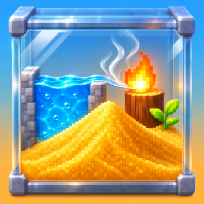
Sand Lab is a calm physics toy with a puzzle mode. Pick an element, drag over the box to pour it and see what happens: sand piles up and sinks through water, oil floats on top, fire eats wood and plants, lava turns to stone in water and melts sand into glass, ice spreads through a pond, acid dissolves rock and a heap of powder goes off in a chain.
The sandbox has 16 elements, four brush sizes, a pause button and an eraser, and it keeps your creation for next time. A lab notebook records 15 reactions as you discover them, with a small hint for each one you have not found yet.
In the 12 challenges every grain you pour costs ink. Fill a bowl, plumb water to a tank, burn the logs, freeze a pond, grow a vine up a shaft, blow up a dam, cool a lava flow or open a fire break before the grass burns. You earn up to three stars for solving each one with as little ink as you can. Everything is saved on your device.
Controls
Mouse: drag over the box to pour. Keys: 1 to 0 pick an element, [ and ] set the brush, arrows and Space paint, P pauses, N opens the notebook, M mutes.
Touch and drag over the box to pour. Tap an element or a brush size below the box to change it. Hold your finger still to keep pouring.
FAQ
What is ink in the challenges?
Every grain you pour in a challenge uses one unit of ink, and you only have a limited amount. Solving a challenge with less ink earns more stars. You can restart a challenge any time, or watch an optional video for extra ink.
How do I find the reactions?
Mix elements and watch: water on fire makes steam, lava on water makes stone, lava on sand makes glass, ice spreads in water, plants drink water and grow, acid eats rock. Each new reaction is saved in the lab notebook.
Is my sandbox saved?
Yes. The sandbox is saved automatically when you leave it and when you close the page, and it comes back the next time you press Sandbox. The bin button clears it after a second press.
Why did my pour stop in a challenge?
The ink ran out. The bar above the box shows how much is left. Restart the challenge, use less with a smaller brush, or watch a video for extra ink.
Is Sand Lab free?
Yes. It is free to play in your browser, with no download and no account.
Can I play on my phone?
Yes. It runs on phones, tablets and computers. Touch and drag over the box to pour. Tap an element or a brush size below the box to change it. Hold your finger still to keep pouring.