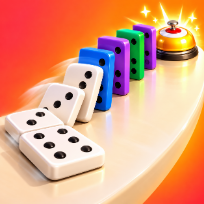

Domino ToppleCasual · Puzzle






How to play Domino Topple
Domino Topple is a top-down chain-reaction puzzle. Each of the 10 boards has a fixed red starter domino and one or more bells. You get a limited number of standard and tall dominoes: place them, press Push and watch the chain fall in order, with slow motion as the last bell rings.
Walls stop a falling domino, pits cannot be built on but a tall domino reaches across them, and spinning wheels kick every domino near them a moment after they are touched. Branches let one domino topple two rows at once. Earn up to three stars per level: ring every bell, use no more pieces than par, and catch the golden token.
Free build gives you an empty board with unlimited pieces: your best chain and its layout are saved. Progress, stars and settings are saved on your device, so you can close the tab and come back later. The game runs in the browser with no download and no account.
Controls
Click to place a domino, drag to lay a row. R turns, click a placed piece to turn it, Z undoes, Space pushes.
Tap to place, drag to lay a row, tap a placed piece to turn it. The Turn button sets the angle, PUSH starts the chain.
FAQ
How do I start the chain?
Press the Push button (or Space). The dark starter domino with red stripes falls first and pushes the next piece.
Why did my chain stop?
A piece was too far from the next one (about 1.7 board units for a standard domino, 2.5 for a tall one), turned side-on to the push, or a wall was in the way. Try again keeps your layout.
How do I cross a pit?
You cannot place dominoes in a pit, but a tall domino at the edge reaches across it. A spinning wheel in the middle can also kick pieces over.
How do I earn three stars?
Ring every bell, use no more dominoes than the par shown on the result card, and make the chain touch the golden token.
Is Domino Topple free?
Yes. It is free to play in your browser, with no download and no account.
Can I play on my phone?
Yes. It runs on phones, tablets and computers. Tap to place, drag to lay a row, tap a placed piece to turn it. The Turn button sets the angle, PUSH starts the chain.